Lab 1: Manipulate your local blockchain#
Goals#
In this lab, you will setup and manipulate a local blockchain. To ease things up, you will use Ganache, a tool that can be use to set up a local Ethereum blockchain in one click.
Prerequisite#
You should have Ganache installed on your computer. You can found the installer here
Note that this tool is not maintained anymore. But for our usage, it is fairly good enough.
Quickstart#
Once you have launched Gananche, you should get the following page:
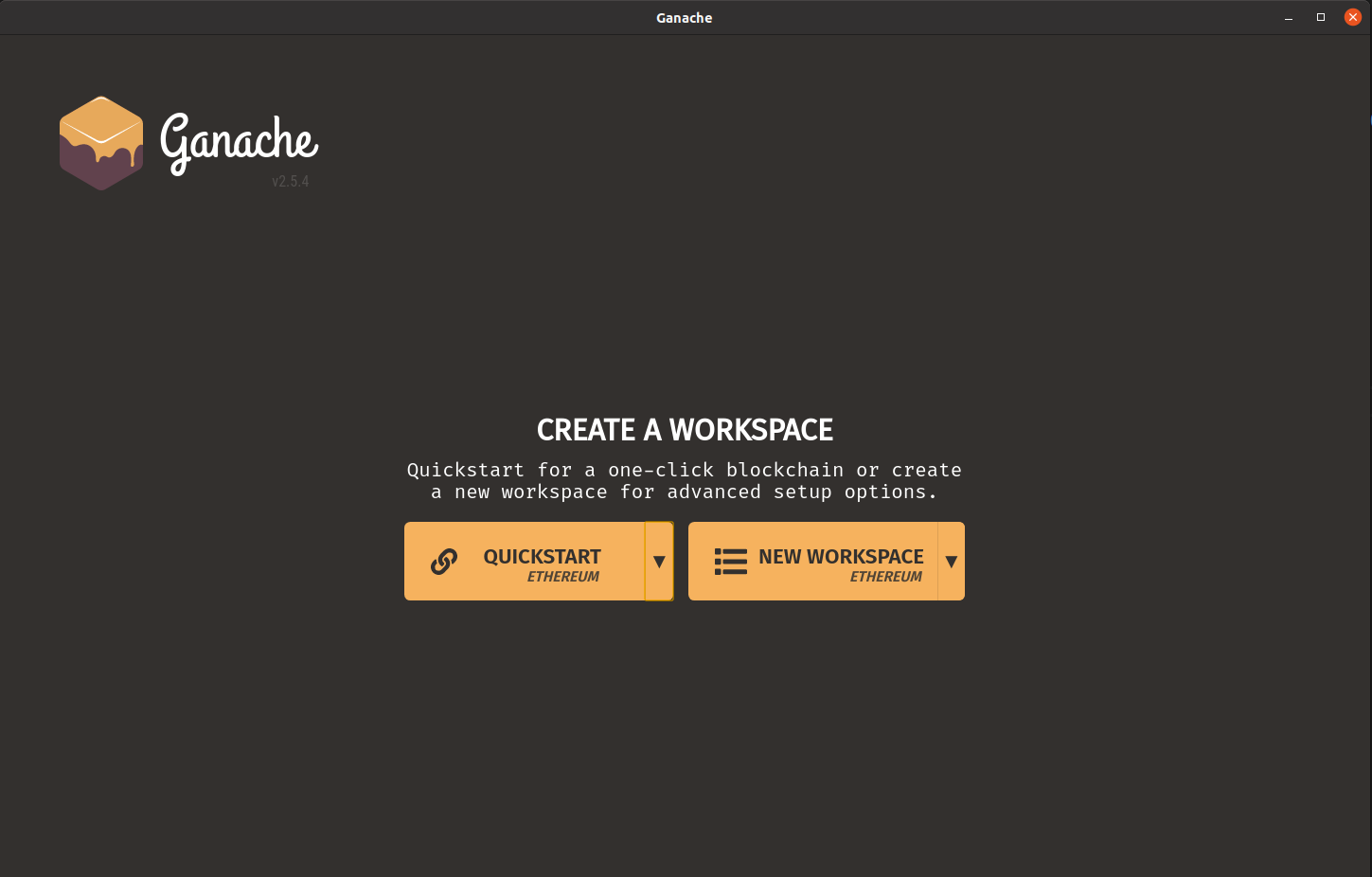
The default settings should be fine for us, henche you can select the Quickstart Ethereum button. This will create a one-node blockchain provided with a few pre-funded accounts.
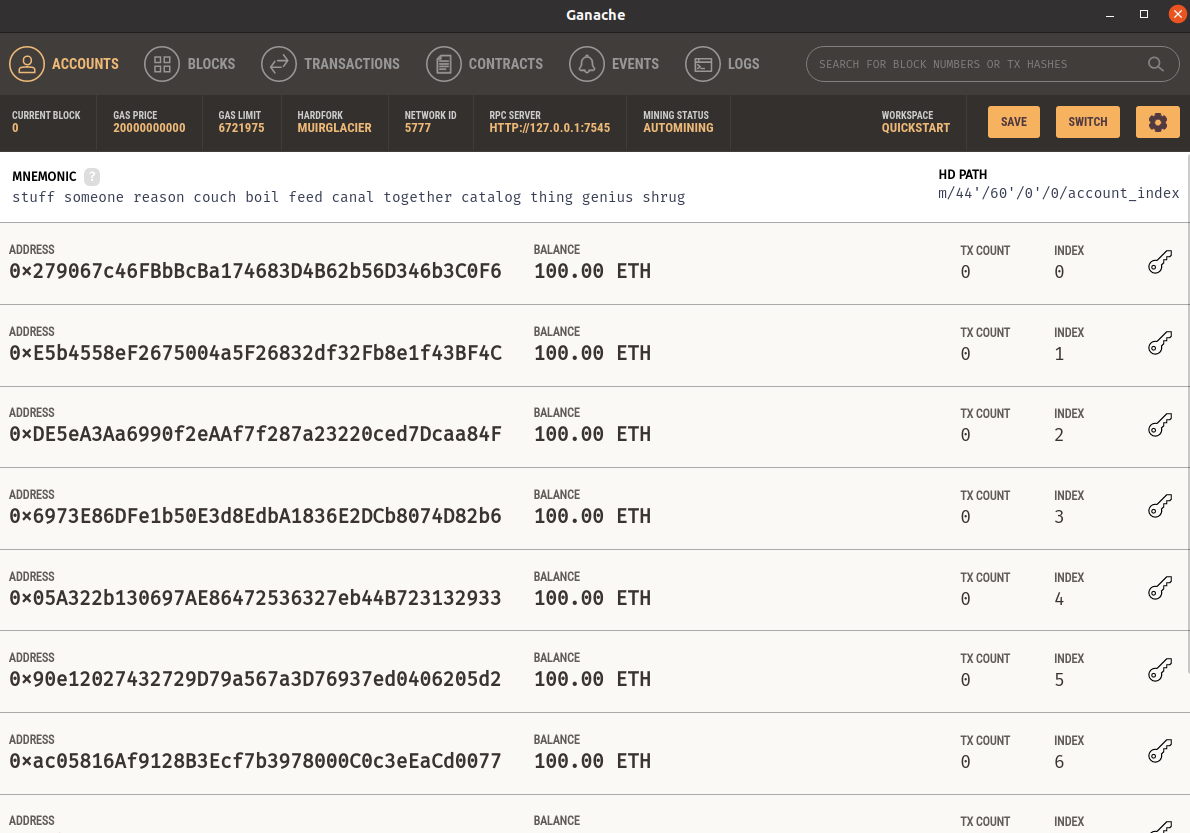
You should now have this page:
Tip
Save your blockchain by clicking on the save button on the top right corner. Otherwise, you will need to recreate your blockchain the next time you start Ganache.
Getting familiar with Ganache#
We will first get familiar with the Ganache interface. This should be a good way to visualize a bit the blockchain’s concepts in action.
Accounts#
Question
How many accounts did Ganache generated for us? What is their current balance?
Question
What is the gas price on this local Ethereum blockchain? What is the current gas price on the real Ethereum blockchain?
Tip
You may find some informations here: https://etherscan.io/gastracker
Blocks#
Question
Switch to the blocks tab. Why is there already a block (although you did not do anything?)? How is it called? What does it contains?
Blockchain manipulation#
We are going to use our python skills a bit!
You are now going to interact with your local blockchain using Python. If you are not too familiar with python, this should help you manipulate the language a bit. In particular, this should help you learn to use an external library in your own code (here the library responsible for the communication with Ethereum).
You will find here a script nammed Lab1.py containing the exercices for this lab.
First, make sure that everything is OK by running this script. The output should inform you that the connection is OK and print a few information about the block 0. If it is not connecting, make sure you have Ganache started and running.
Task
Run the script and make sure everything works properly
Question
Have a look at the script. What is the Python library used to interact with the blockchain? Try to search online what this term refers to.
Tip
The documentation of the web3py library can be found here: https://web3py.readthedocs.io In particular, you should find examples here: https://web3py.readthedocs.io/en/v5/examples.html and documentation about the different available functions here: https://web3py.readthedocs.io/en/v5/web3.eth.html
Blocks#
Task
Complete the script and print more information about the block number 0 (e.g the timestamp and the block hash)
Try to print the same informations Ganache gives us. For “mined on”, the library gives us something called a timestamp. This representation of a date may be nice for computers but that’s not really readable for us… How can we convert it to something actually readable?
Tip
You may use the “datetime” python library
Accounts#
Task
Complete the script to list the adresses of every accounts. Check with Ganache to see if results are good.
Can you also list the balance of every accounts?
Can you list their transaction count like Ganache does?
Sending transactions#
We are going to emit our first transaction on our local Ethereum blockchain!
Choose two accounts. Take their address, either by and by copying values on Ganache or directly in your python script. Complete your python script to send a transaction of value 1 from the first account to the second account.
Have a look at Ganache to see if you find how this transaction has changed your blockchain. You should see a change on the Account page and on the block page. In particular, have a look at the block page. Try to find the transaction you’ve made. Now, go back to the script, change the parameters of the transaction and re-run the script. You should now have another transaction on Ganache!
Tip
You may wonder why the balance of the from account has not changed when executing the transaction with the parameter value = 1. That’s because the unit of value and the unit displayed on the accounts are not the same! Have a look at this document https://academy.binance.com/en/glossary/wei. What is the unit of value? Make changes and see if you can send enough value to see changes on the Account page!
Question
Find your transactions on Ganache. What is their cost in Gas? What is their cost in wei (gas used X gas price)? In Ether? In Euros? (You will have to look at the current change rate online)
Summary#
Well done on your first lab!
In this lab, you have manipulated Ganache, your local Ethereum node. You should be familiar with its interface now. You also have send transactions though python scripts, using the web3 librairy. You will use similar code in the next sessions to interact with your smart contracts.
Advanced#
This section is optional. You have finished early, feel free to go though its content to dive deeper into the course content.
Ethereum has a concept of event. For example, when a new block is made, an event is triggered. Event can be watched by programs, so do some computation each time an event is triggered.
Write a second program that watch for new block creations (see examples)